
Cosmic-Level Customization: Crafting Your Perfect Computer
- Christian Layhue
- Nov 10, 2025
- 4 min read

Building a computer tailored exactly to your needs is no longer a niche hobby. Whether you are a gamer, a creative professional, or someone who just wants a reliable machine, customizing your own PC offers unmatched control over performance, aesthetics, and future-proofing. This guide will walk you through the key steps and considerations to help you craft a computer that fits your unique requirements perfectly.
Understanding Your Needs
Before diving into parts and specs, the first step is to clearly define what you want your computer to do. This focus will guide every decision you make.
Gaming: Prioritize a powerful graphics card, fast CPU, and sufficient RAM to handle modern games smoothly.
Content Creation: Focus on a multi-core processor, ample RAM, and fast storage solutions to speed up rendering and editing.
Everyday Use: A balanced setup with a decent CPU, integrated or entry-level graphics, and enough storage for your files.
Workstation Tasks: Depending on your profession, you might need specialized components like ECC RAM or professional GPUs.
Knowing your primary use case helps avoid overspending on unnecessary features or bottlenecks that slow down your workflow.
Choosing the Right Processor
The processor, or CPU, is the brain of your computer. It handles instructions and calculations that keep your system running.
Core Count and Threads: More cores and threads improve multitasking and performance in demanding applications.
Clock Speed: Measured in GHz, higher clock speeds mean faster processing for single-threaded tasks.
Compatibility: Ensure the CPU matches your motherboard’s socket type and chipset.
For example, gamers often benefit from CPUs with high clock speeds and moderate core counts, while video editors prefer CPUs with many cores to handle parallel processing.
Selecting a Motherboard
The motherboard connects all your components and determines upgrade paths.
Form Factor: ATX, Micro-ATX, and Mini-ITX vary in size and expansion slots.
Chipset Features: Look for support for the latest USB standards, PCIe lanes, and memory speeds.
Connectivity: Consider the number and type of ports, including Ethernet, Wi-Fi, and audio.
A good motherboard balances features with price and ensures compatibility with your CPU and other parts.
Memory and Storage Options
RAM and storage directly affect your computer’s speed and capacity.
RAM Size and Speed: 16GB is a solid baseline for most users, with faster speeds benefiting gaming and professional tasks.
Storage Types: SSDs offer fast boot and load times, while HDDs provide larger, cost-effective storage.
NVMe Drives: These SSDs connect via PCIe and deliver much higher speeds than traditional SATA SSDs.
Combining an NVMe SSD for your operating system with a larger HDD for files is a common and effective setup.
Graphics Card Selection
The graphics card (GPU) is crucial for gaming, 3D rendering, and video editing.
Performance Levels: Entry-level GPUs handle basic tasks, mid-range cards suit most games, and high-end models support 4K and VR.
VRAM: More video memory helps with higher resolutions and detailed textures.
Power Requirements: Ensure your power supply can support your GPU’s needs.
If your work doesn’t involve graphics-heavy tasks, integrated graphics might suffice, saving money and power.
Power Supply and Cooling
A reliable power supply and effective cooling keep your system stable and extend component life.
Wattage: Calculate your system’s power needs and add a margin for safety.
Efficiency Rating: Look for 80 Plus certifications for better energy use.
Cooling Solutions: Air cooling is common and effective, but liquid cooling offers quieter operation and better heat management for overclocked systems.
Proper airflow inside the case is essential to prevent overheating.
Case and Aesthetics
The case houses all your components and affects airflow and noise levels.
Size and Compatibility: Make sure the case fits your motherboard and GPU length.
Airflow Design: Cases with good ventilation and fan placement keep temperatures down.
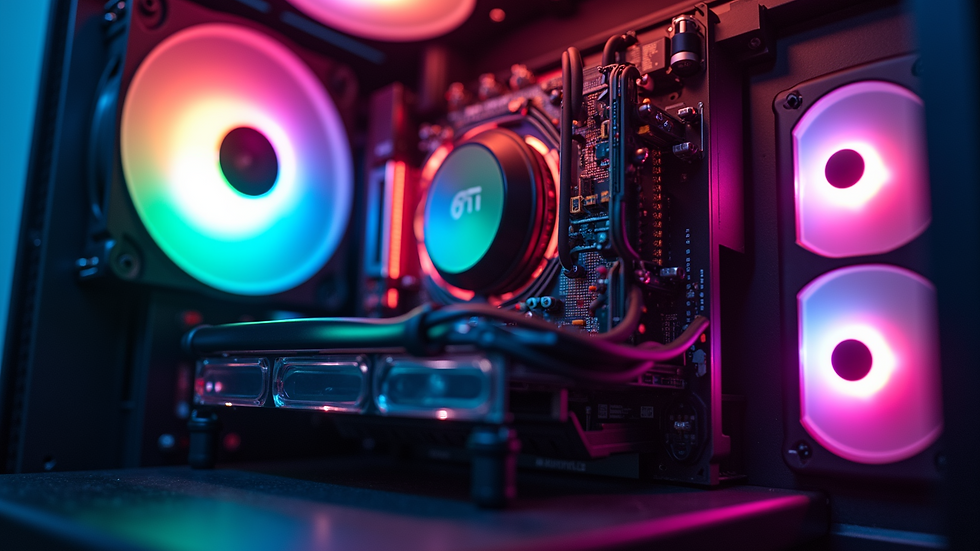
Style: From minimalist to RGB-lit designs, choose a case that reflects your personality.
Cable management features help keep the interior tidy and improve airflow.
Building and Testing Your Computer
Once you have all parts, assembling your PC requires patience and care.
Static Precautions: Use an anti-static wrist strap or work on a non-conductive surface.
Step-by-Step Assembly: Install the CPU, RAM, and cooler on the motherboard first, then place the motherboard in the case.
Connecting Components: Attach storage, GPU, power supply cables, and case fans.
First Boot and BIOS Setup: Check that all components are recognized and configure settings like boot order.
Operating System Installation: Install your preferred OS and update drivers.
Testing with stress tools and benchmarks ensures your system runs stable and performs as expected.
Upgrading and Future-Proofing
A custom computer should serve you well for years. Planning upgrades can extend its life.
Modular Components: Choose parts that allow easy replacement or addition.
Spare Slots and Ports: Extra RAM slots or PCIe lanes give room for growth.
Monitor Trends: Keep an eye on new technologies like DDR5 RAM or PCIe 5.0 for future upgrades.
Regular maintenance, like cleaning dust and updating software, keeps your system running smoothly.
Crafting your perfect computer means making informed choices at every step. By focusing on your needs, selecting compatible and quality components, and assembling carefully, you create a machine that delivers exactly what you want. Start planning your build today and enjoy a computer designed just for you.


Comments